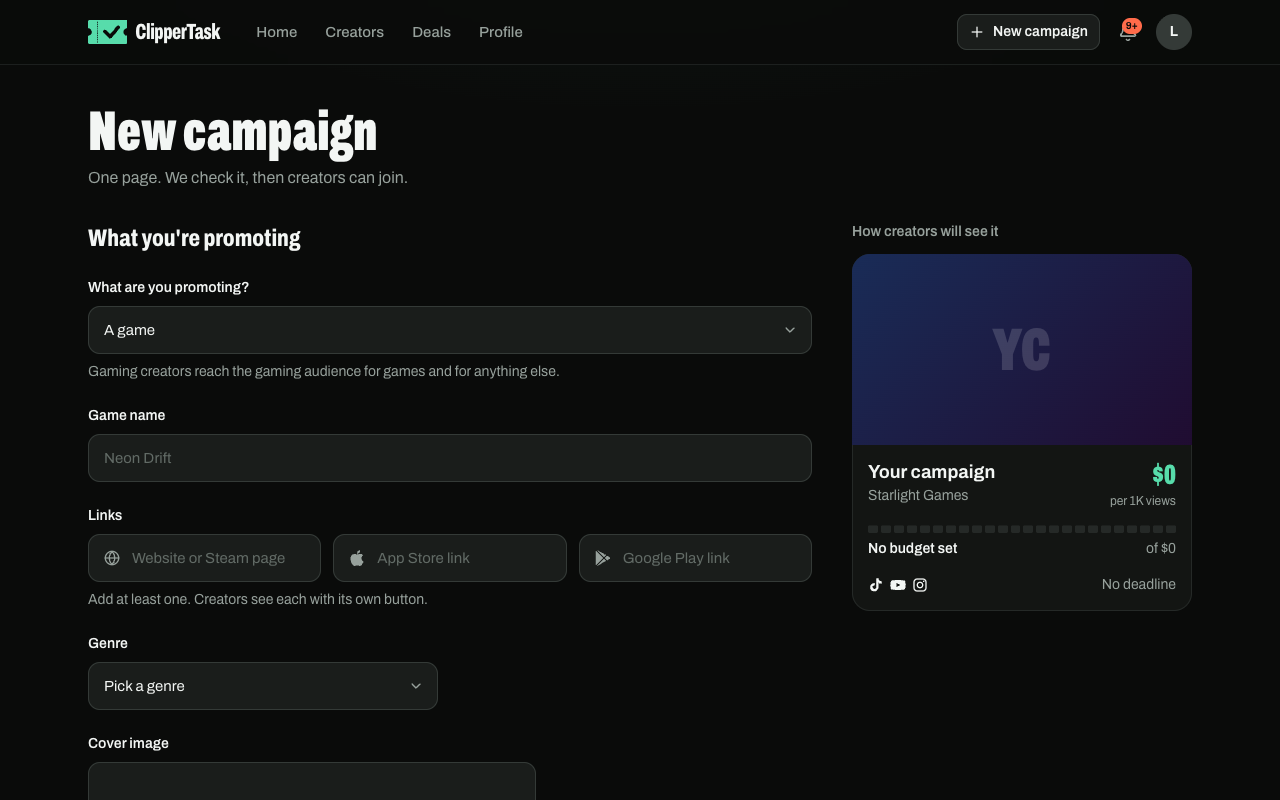
- Press New campaign.
- Say what you're promoting, add at least one link (website, Steam, App Store or Google Play) and a cover image.
- Set the money:
- Rate per 1,000 views: what a creator earns per 1,000 views.
- Total budget: the pool. Creators see what's left as it goes down.
- Max payout: the most one creator can earn, so one viral video can't take the whole pool. Min payout is optional.
- Pick the platforms, how you pay creators, and a deadline.
- Write the brief: what to show, what to say, where the link goes. Keep it short.
- Press Submit for review.
We check every campaign, usually within a day, and you get a notification when it's live. If something needs changing, it comes back to you with the reason.
Optional rules
Minimum followers, minimum video length, countries, auto-approve after a number of days, and whether AI creators can join. Links, files and promo codes are shown only to creators who joined.
Once a campaign is live, the terms creators joined on are locked: the rate, payouts, platforms and payment methods. You can still add budget and extend the deadline.